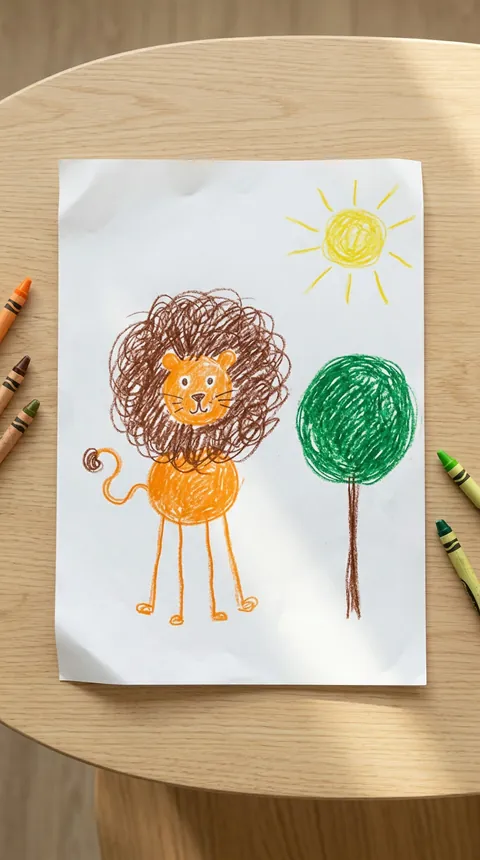
One drawing becomes a realistic creature, toy-like character or vehicle. The model aims to preserve its silhouette, colors and unusual body-part count, with a small drawing inset. Your untouched upload also remains beside the finished video. Eight seconds with original instrumental music; AI may reinterpret small details.
For adults uploading artwork they may use. By generating, you agree to our acceptable use policy.
01 Add a photo02 Generate03 Make it yours
KEEP THE WONKY LITTLE DETAILS
Start with the whole drawing.
A flat photo, even light and one main character. No photo of the child is needed.
EXAMPLE ARTWORK
The shape is the point.
Include ears, feet, tails or wheels
Keep lines and colors visible
Avoid crowded pages and collages
No real people, names or school details
One creation. One charge.
8 seconds160 credits
Artwork → realistic image → motion. Keep the original to compare.
720p · 9:16 · MP4
Original instrumental music. AI can change small details; review the complete result before sharing.
Kids Drawing to Life AI turns a drawing into a textured, moving character in a believable little world. The appeal is its unusual design: uneven legs, mismatched eyes and an oversized head remain features rather than mistakes to repair.
Upload one photograph of the artwork. GenBay prepares a realistic image, then animates it for eight seconds. There is no prompt to write or reference clip to upload. Animals, imaginary creatures, toy figures and simple vehicles work best.
Video specs, credits and starting packs
Mode & output
Credits / video
Starting pack
8 seconds · 720p
160
$5.99 / 200 credits1 video · 40 credits left
One-time credit packs: $1.99 / 40 credits · $5.99 / 200 credits · $8.99 / 300 credits · $14.99 / 600 credits · $27.99 / 1200 credits. Credits are shared across available GenBay effects. No subscription; applicable tax is shown at checkout.
Portrait MP4; actual duration can vary from the target. Video counts apply to the mode in that row; unused credits remain. See credit packs ↗
The design comes first. Then the movement.
The first image aims to retain the outline, color placement and unusual number of body parts while adding fur, fabric or metal. The animation uses a suitable step, hop, roll or greeting and aims to keep a drawing inset fixed. Your untouched upload also appears beside the result for comparison. AI can reinterpret small details; exact pixel reproduction is not promised. The result is an eight-second 720p portrait MP4 with original instrumental music.
How to bring a drawing to life
Photograph the page flat with the entire subject visible. Leave real people, hands, names and school details out.
Add the drawing, confirm permission and review eight seconds, 720p and 160 credits. Pay with your email or sign in to use existing credits.
Once accepted, follow the task in My creations. With work notifications enabled, we email you when it is ready.
Watch the complete clip, compare the original artwork and review the details before downloading or sharing.