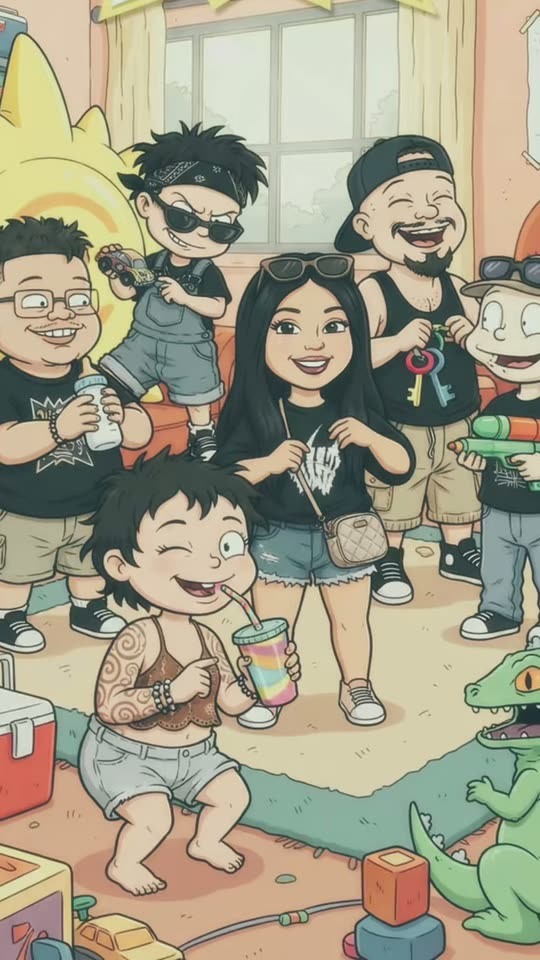
What is the Rugrats photo filter?
The Rugrats Filter search trend refers to photos redrawn as playful 1990s-style cartoon frames: large expressive heads, loose ink outlines, flat colors and a toy-filled pastel room. It is a cartoon redraw of your own photo, not a face-swap onto a television character.
GenBay keeps this as a one-image effect. Upload a solo portrait or a small group of consenting adults; the prompt aims to preserve the count, left-to-right order, hairstyles, glasses and poses. The output is a still image rather than a transition video.
Your own cartoon crew.
An independent 90s-inspired cartoon interpretation, not an official Rugrats or Nickelodeon product. Existing fictional characters and show logos are not requested. Use photos with visible faces and uncropped bodies; likeness and hand details can vary.
How to make your own version
- Select the template and subject, then upload a clear photo you have permission to use.
- Choose 1K or 2K, square or portrait. 1K: 5 credits · 2K: 10 credits, one image per task.
- Use shared credits or purchase with your email. Any people shown must be consenting adults.
- Once accepted you can leave, follow progress in My creations and sign in to download your private result.